


Veeam Recovery Orchestrator Knowledge Base
Creating a Master Plan in Veeam Recovery Orchestrator
Concept
When dealing with multiple orchestration plans that serve as pre-requisites and are interconnected, it’s crucial to execute them in the correct sequence during an actual disaster.
To minimize manual intervention and streamline the process, VRO enables the chaining of these plans, allowing a single plan to automatically trigger and run all the necessary ones.
Chaining the plans requires the plans to be enabled.
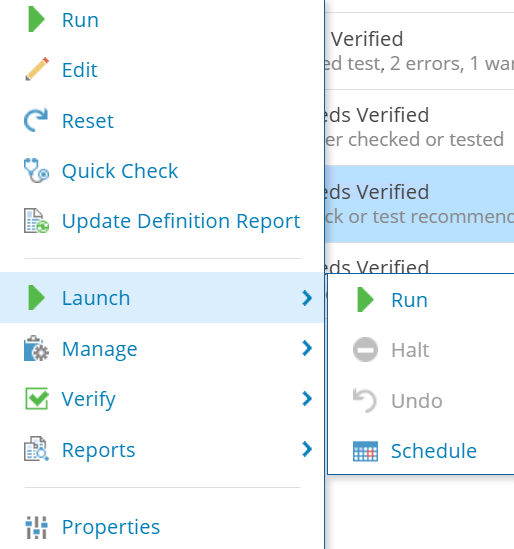
Right click the plan and select Launch > Schedule:
Under Schedule Options, you can enable a scheduled execution after starting another plan:
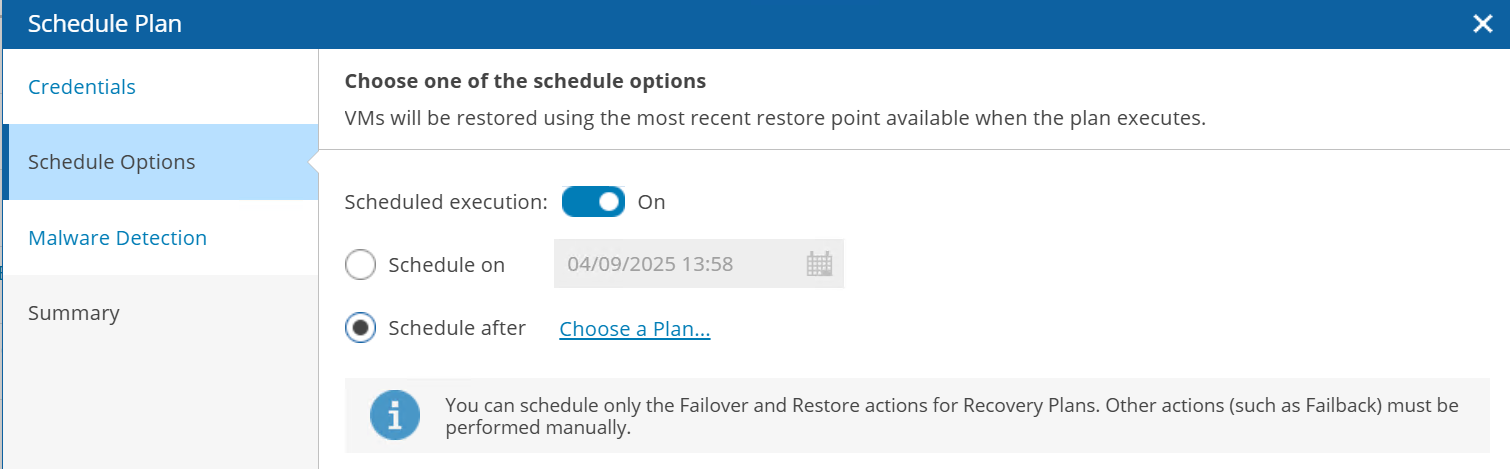
Once the first orchestration plan has finished running successfully, the chained plan will automatically begin.
You may want to chain multiple plans together. This lets you create a master plan that can run all orchestration plans.
You have the option to disable chained plans during execution if they are not required.
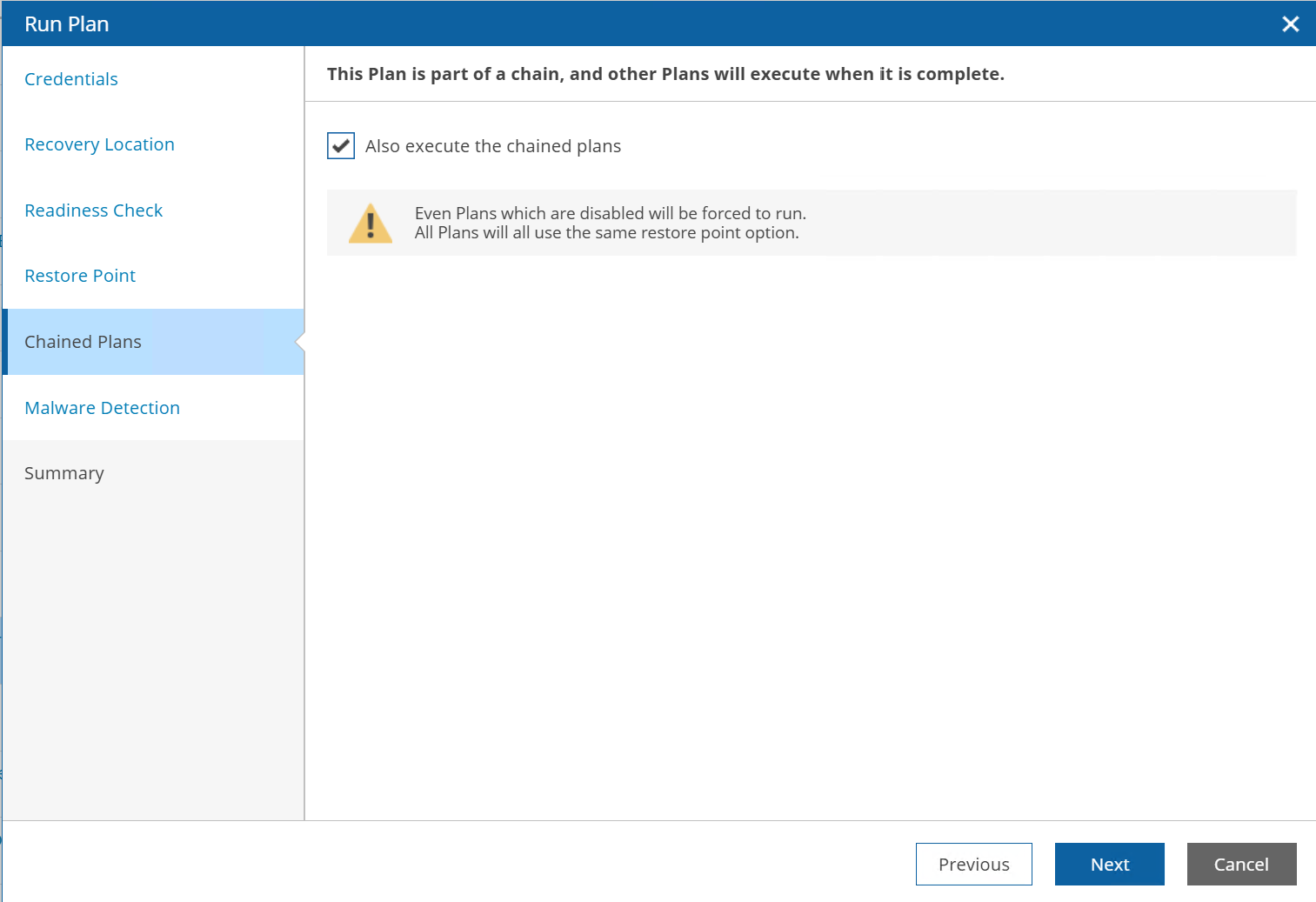
Please note this method of chaining orchestration plans only works for running the plans.
If you need to chain the plans during testing, you should use Create Schedule under Lab Calendar.